16 May, 2026
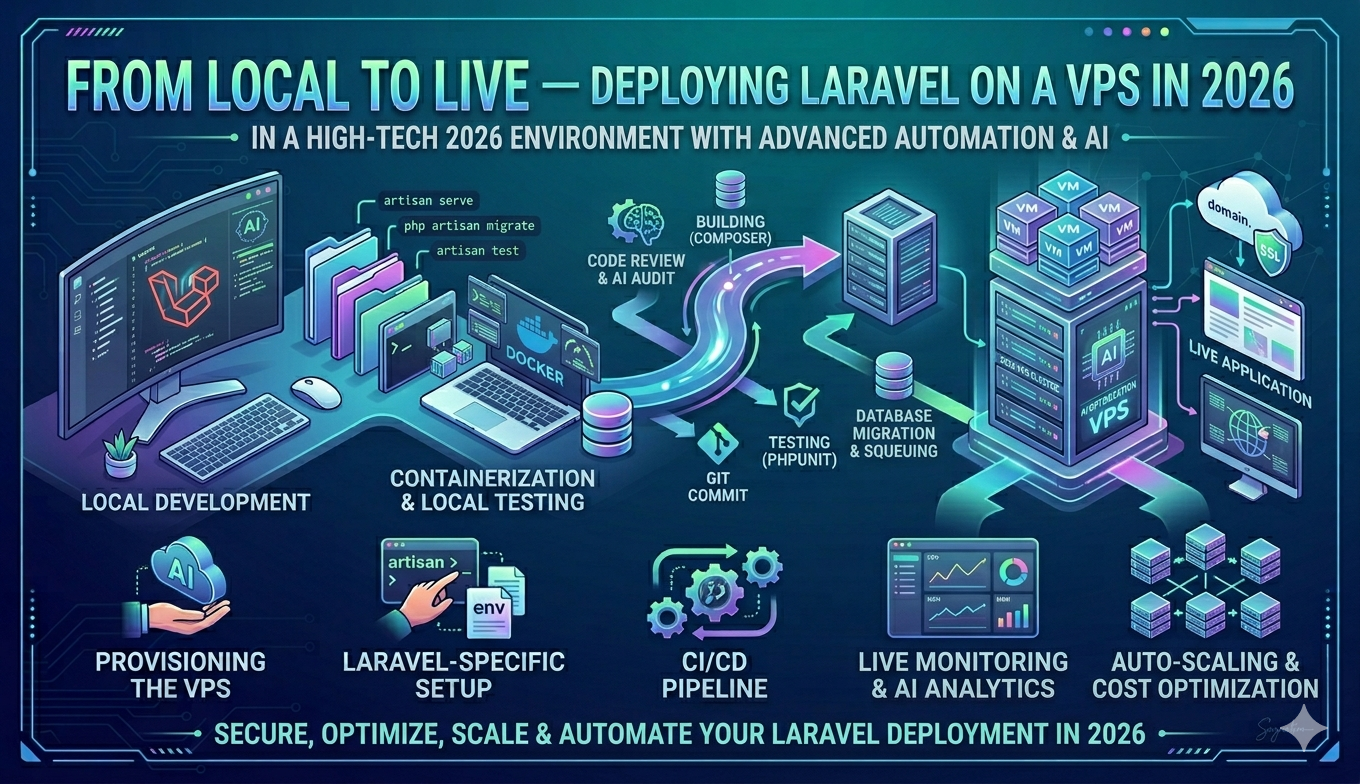
From Local to Live — Deploying Laravel on a VPS in 2026
Shared hosting was fine a decade ago. Today, if you are building serious Laravel applications, you need a VPS — full control, proper performance, and the ability to configure your environment exactly as you need it. Here is everything I have learned from deploying multiple Laravel applications to production.
Choosing Your VPS
I use IONOS for most of my deployments. It is reliable, affordable, and the control panel integrates well with Plesk, which makes managing multiple domains, subdomains, and SSL certificates straightforward. Ubuntu 24.04 LTS is my OS of choice — stable, widely supported, and well documented.
Setting Up the Server
Once your VPS is running, the first steps are installing Plesk, setting up PHP via the Plesk PHP path, configuring MySQL, and installing Node.js via NodeSource for any frontend build steps. One thing that catches many developers out — IONOS blocks outbound SMTP on port 25 by default, so you will need to use a mail service like Mailgun or configure an alternative port.
DNS and SSL
Point your domain's A record to your VPS IP, set up the domain in Plesk, and use Let's Encrypt for SSL — it is free and Plesk makes it one click. For subdomains, the same process applies. I have set up bibinjohn.uk, music.bibinjohn.uk, and several client domains following exactly this pattern.
Automating Deployments with GitHub Actions
Plesk has a built-in Git deployment feature but it has limitations. For reliable automated deployments, GitHub Actions is the better choice. On every push to main, my workflow SSHs into the server, pulls the latest code, runs composer install, npm run build, and php artisan migrate. One thing to remember — always delete the public/hot file after a build, or your app will try to load assets from a Vite dev server that is not running.
The Payoff
Once your pipeline is set up, deploying is a single git push. Your server handles the rest. Clean, fast, and fully under your control.